
Introduction to JavaScript
JavaScript (also known as JS) is THE programming language of the web. To get started you don’t even have to install anything. JavaScript is already running in the browser that you are using to read this page!
What is JavaScript
We are not going to go too deep into what JavaScript actually is. This is going to be a quick overview of the language.
JavaScript was developed to look like Java and also the name was supposed to make it appeal to Java developers. But that is about how much these two languages have in common. Java is a class based programming language, whereas JS is prototype based language. Even though newer JS versions have classes they are simply syntactic sugar on top of prototypes.
JS supports many programming paradigms including event-driven, imperative and functional(ish). Imperative programming paradigm is what people are the most familiar with. In this blog you are not going to find that much imperative programming. We are going to focus on event-driven and functional JS.
Getting started with JavaScript
Variable types
There are four ways of defining variables in JS
- Assign value to a variable that has not been declared
- Resulting variable is global
- This is extremely bad practice and should not ever be used!
string = "Hello World!";
console.log(string); // Hello World!
- Keyword
var- Old way of declaring variables.
- This is a bad practice and should not be used.
- Use keywords
constandletinstead.
var string = "Hello World!";
console.log(string); // Hello World!
- Keyword
let- Introduced in EcmaScript 2015.
- Variable value may change.
- Commonly used in imperative coding paradigm.
let string = "Hello World!";
console.log(string); // Hello World!
string = "Changed";
console.log(string); // Changed
- Keyword
const- Introduced in EcmaScript 2015.
- Variable value does not change.
- Commonly used in functional paradigm.
const string = "Hello World!";
console.log(string); // Hello World!
string = "Changed"; // Uncaught TypeError: Assignment to constant variable
So we have four ways of declaring variables but two of these are not recommended.
This leaves us with let and const.
As a rule of thumb always declare variables with const and change them to let if you ever need to change the value.
Consistency like this makes the code readable.
Most common data and structure types
- String
const string = "Hello World!";
console.log(typeof string); // string
- Boolean
const boolean = true;
console.log(typeof boolean); // boolean
- Number
const number = 42;
console.log(typeof number); // number
- undefined
let variable;
console.log(typeof variable); // undefined
- Array
const array = [];
console.log(typeof array); // object
console.log(Array.isArray(array)); // true
- Object
const object = {};
console.log(typeof object); // object
I’m already bored, where is the Hello World application
There are always some basic concepts that we have to go through before we can jump into coding like the basic syntax of the language.
Now that we know a little bit about data types and variables we can start to build our Hello World application.
Hello World application
Open developer tools from your browser by pressing F12.
Navigate to console tab.
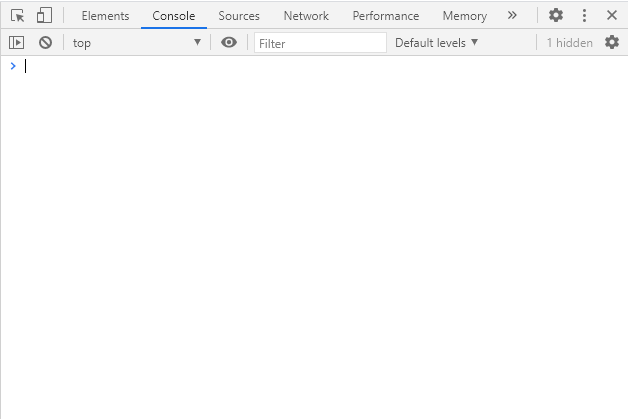
Copy and paste the following line to the console:
console.log("Hello World");
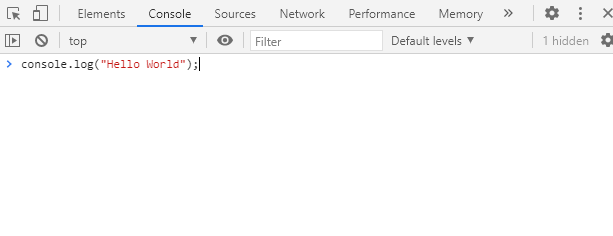
Press Enter
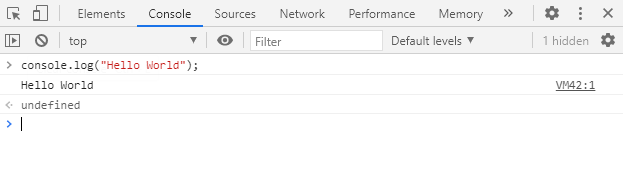
Congratulations you have just created Hello World application is JavaScript!
In the next blog post we are going to dive a bit deeper into JS and after that we are going to install local JS runtime so that we don’t have to copy and paste code into the browser console.